
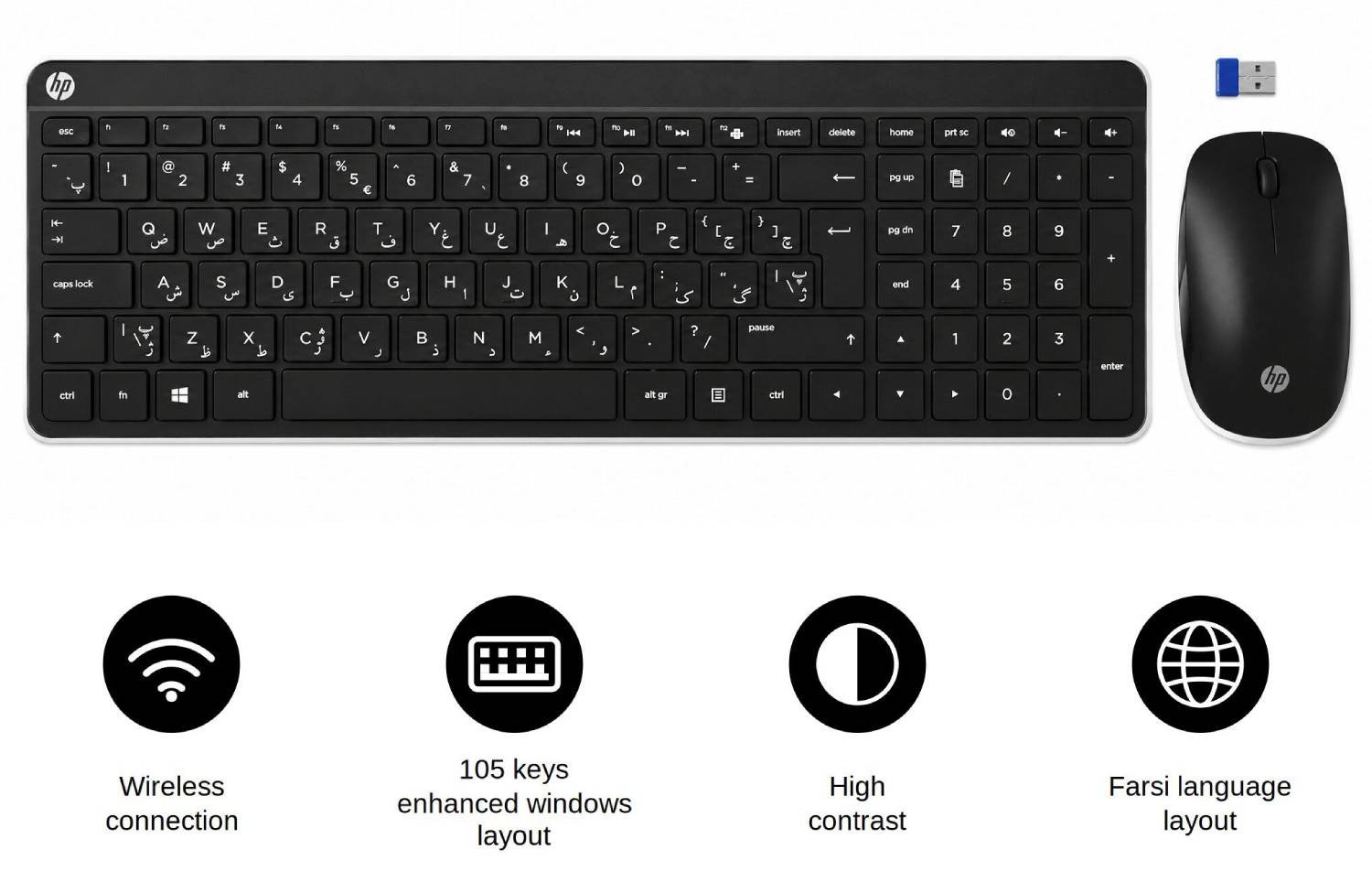

Comfortable typing in Arabic and English is essential for professionals, students, translators, and families who regularly communicate in both languages. A wireless bilingual keyboard makes switching between Arabic and English easier, whether you are writing emails, preparing documents, studying online, or managing business tasks. With clearly marked characters and a practical layout, an Arabic keyboard and mouse combination can support accurate typing, improve everyday productivity and create a more comfortable computing experience.
An Arabic Keyboard and mouse offer a convenient solution for users who need Arabic and English characters on one keyboard. Instead of relying on on-screen keyboards or memorising unfamiliar key positions, users can identify the required letters directly. A wireless connection also helps reduce cable clutter, making the workstation tidier and easier to organise. For home offices, educational environments and professional workplaces, this combination provides practical bilingual input without unnecessary complications.
Why Choose a Bilingual Arabic-English Keyboard?
Arabic uses a right-to-left writing direction, while English follows a left-to-right format. A bilingual keyboard accommodates both languages by displaying their characters on the relevant keys. This arrangement helps users switch between languages efficiently, particularly when composing mixed-language documents, entering names or communicating with international colleagues.
Convenient Wireless Connectivity
A wireless keyboard and mouse combination provides greater flexibility than a traditional wired setup. Depending on the model, connectivity may use a USB receiver or Bluetooth, so checking compatibility with your computer is important before purchasing. Wireless operation keeps the desk clear and allows users to position their keyboard and mouse comfortably. Battery requirements, operating-system support and connection range are also worth considering for reliable daily use.
Improve Visibility and Typing Accuracy
Clear lettering can make a substantial difference to typing comfort. High Visibility Keyboards are particularly useful for people who prefer easily identifiable characters, including users who work in dimly lit rooms or frequently alternate between Arabic and English. Legible legends reduce the effort required to locate individual keys and can help users become familiar with a second-language layout more quickly.
A High Contrast Keyboard can be especially beneficial for people who find standard printed characters difficult to distinguish. Strong contrast between the lettering and key surfaces improves visual identification, although the effectiveness depends on lighting, eyesight and the keyboard’s specific finish.
For older adults and people with reduced vision, an Oversized Letter for Visually Impaired Low Vision Seniors keyboard option may offer greater accessibility. Larger characters can make frequently used keys easier to recognise, helping users type more independently. Buyers should compare character size, contrast, spacing and comfort rather than assuming every high-visibility model provides the same benefits.
Finding the Right Arabic Keyboard
Choosing the right keyboard involves more than checking whether Arabic letters are printed on the keys. Consider your typing habits, workspace, computer compatibility and accessibility requirements before making a decision.
Features Worth Comparing
When comparing Wireless Bilingual Arabic English Keyboards, look for practical features that suit your everyday routine. A suitable model should make bilingual typing straightforward while providing dependable performance for regular computer use.
Consider these useful features:
- Dual-language key legends: Clearly printed Arabic and English characters help users identify letters without constantly consulting a separate layout guide.
- Wireless connectivity: Check whether the keyboard uses Bluetooth or a USB receiver and confirm that your device supports the connection method.
- Comfortable key spacing: Adequate spacing and responsive keys can support more accurate typing during extended work sessions.
- Matching wireless mouse: A compatible mouse provides a coordinated setup and reduces the need for separate accessories.
- Battery convenience: Review the power requirements, battery life information and whether rechargeable or replaceable batteries are used.
- Operating-system compatibility: Confirm support for your computer and check how Arabic language input is enabled within its settings.
Practical Tips for Better Bilingual Typing
A suitable keyboard is only part of an effective bilingual workstation. Correct software settings and a little practice can make Arabic-English typing easier and more consistent.
Follow these recommendations to get started:
- Enable Arabic input: Add Arabic through your operating system’s language settings and select the appropriate keyboard layout.
- Learn the key positions: Practise common words, names and phrases in both languages to build familiarity with the printed characters.
- Use the language indicator: Check the active input language before typing, particularly when switching between Arabic messages and English documents.
- Adjust your workstation: Position the keyboard and mouse at a comfortable height, with sufficient room for natural hand movement.
- Check text direction: Use right-to-left paragraph settings for Arabic text and left-to-right settings for English passages where appropriate.
- Keep the keys readable: Clean the keyboard according to the manufacturer’s instructions and avoid products that could damage the printed legends.
Who Benefits from Arabic-English Keyboards?
Bilingual keyboards are useful across many everyday settings. Students can prepare assignments in Arabic and English, while translators and writers can switch between scripts without repeatedly checking character maps. Customer service teams, administrative staff and international businesses may also benefit from faster access to both languages.
At home, a wireless Arabic keyboard can support family communication, online learning and multilingual browsing. Users with reduced vision may prefer high-contrast or large-print alternatives, provided the selected model meets their specific visual needs. Selecting a keyboard that matches the user’s language requirements and physical comfort can make regular computer tasks more manageable.
Make Every Keystroke Count
A wireless Arabic-English keyboard and mouse combination can simplify bilingual communication, support productive working habits and keep a computer desk organised. Clear Arabic and English legends help users identify characters, while wireless connectivity offers greater flexibility. Features such as high-contrast printing, oversized letters and comfortable key spacing may also improve accessibility for people with different visual needs. Before purchasing, check compatibility, connectivity, battery requirements and layout preferences. The right keyboard can make everyday typing more comfortable, accurate and convenient at home, in education and at work.